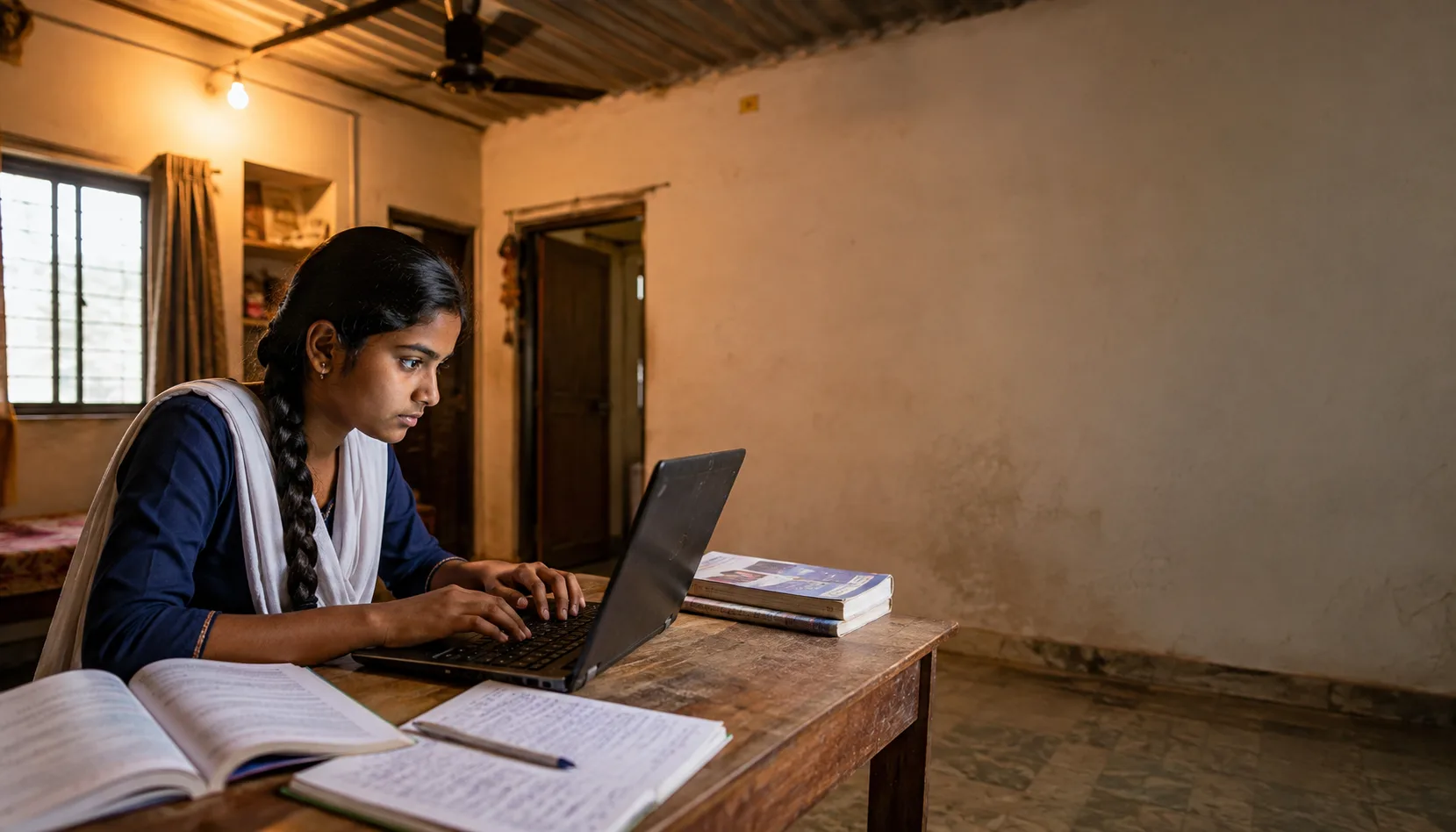
A laptop is not just a device.
For a student in a government school in urban India - a student who has been attending online classes by borrowing a parent's phone for 30-minute windows, who has been missing submission deadlines because the phone was needed for household communication, who has been writing programming syntax on paper because there is no device to run it on - a laptop is a fundamental change in what is educationally possible.
This blog is about what that change looks like. About what a donated laptop specifically enables - not in abstract terms, but in the specific, day-to-day reality of a student's life. And about how to donate one in a way that ensures it actually reaches a student who needs it.
What a Donated Laptop Actually Enables for an Indian Student
The list of what a working laptop makes possible for a student without one is long and specific:
Uninterrupted online class attendance
Most government school students who access online classes do so on a shared family phone. When the phone is needed for a call, they miss the class. A dedicated laptop means they attend every class, without interruption, on a stable screen.
Assignment submission without a queue
Students sharing one device among siblings or family members submit assignments when the device is available - not when the deadline requires. A personal laptop means submitting on time, every time.
Access to DIKSHA and offline educational content
The Government of India's DIKSHA platform has textbook content, video lessons, and practice exercises for every class and subject. Accessible on a laptop, 24 hours a day, without data limitations.
Learning to type and use productivity software
Typing proficiency, familiarity with document editors, spreadsheet basics - skills that every employer assumes in every job candidate, that students without devices never develop before entering the workforce.
Board exam online preparation
Mock tests, online practice papers, timer-based exam simulations - all available free online, all inaccessible without a device.
Coding and vocational skills
Python, HTML, digital design, video editing - the skills that open pathways to employment in India's growing digital economy. None of them can be learned effectively on a shared phone with a 6-inch screen.
Who Needs a Donated Laptop Most
The students whose educational trajectories change most dramatically with a laptop donation are:
Class 9 to 12 students in government schools
Board exam preparation, online practicals, and college application processes are increasingly digital. Students in this age range without devices are at a serious disadvantage in competitive academic environments.
Students in commerce and science streams
Accounting software, Python, laboratory data analysis, online resources for competitive exams - the subject requirements of science and commerce students are heavily digital.
Students in skill development and vocational training programmes
ITI students, polytechnic students, and participants in government skill training programmes often need devices for coursework that their institutions cannot provide.
Students in rural or semi-urban areas with poor mobile data connectivity
A laptop with offline educational content loaded (DIKSHA offline, Khan Academy Lite, Kolibri) provides educational access even without reliable internet - more practical than a smartphone in areas with poor connectivity.
What Makes a Laptop Good Enough to Donate to a Student
The standard for a donatable student laptop is simpler than most donors assume.
Minimum functional requirements:
- Powers on and runs Windows 10 or later (or macOS 10.14 or later, or a current ChromeOS version)
- Connects to Wi-Fi
- Browser loads educational sites (diksha.gov.in, khanacademy.org)
- Battery holds charge for 3+ hours of active use
- Keyboard fully functional
- Screen displays clearly with no major dead pixels
- Camera and microphone work for video classes
A laptop that meets these requirements can:
- Attend online classes via Google Meet or Zoom
- Access DIKSHA, Khan Academy, and all major educational platforms
- Write and submit assignments in Google Docs
- Run Python (Mu Editor or Thonny - lightweight, perfect for older devices)
- Practice typing, spreadsheets, and presentations
A laptop that is 4 to 6 years old and was mid-range when purchased almost certainly meets all of these requirements.
The student does not need a fast laptop. They need a working one.
How to Donate a Laptop to a Student Through CauseKind
- Assess your device - confirm it meets the minimum functional requirements above
- Wipe all personal data - follow our complete data wiping guide (factory reset with 'clean the drive' enabled for Windows; Disk Utility erase and macOS reinstall for Mac)
- Include the charger - a laptop without a charger is not donatable
- Test after wiping - confirm Wi-Fi, browser, camera, and battery all work
- List on CauseKind - include the model, operating system, condition, and what's included
- Browse student requests - filter by 'electronics' to see verified device requests from students within 10 km
- Match and arrange handoff - direct local delivery, within 10 km, no courier
- Confirm delivery - mutual confirmation on the platform generates your Impact Certificate
Optional: Loading Offline Educational Content Before Donating
For students in areas with unreliable internet, taking 30 extra minutes to load offline educational content before donating can significantly multiply the device's impact.
Offline apps to install:
- DIKSHA app (offline mode): Download from diksha.gov.in - contains NCERT textbook content for all classes in text and video, downloadable for offline access
- Khan Academy Lite (KA Lite / Kolibri): Free, runs on any laptop, contains Khan Academy's full curriculum - maths, science, computing - without internet
- GCompris: Educational activities for primary school children - science, maths, memory games - completely offline
- LibreOffice: Free, open-source equivalent of Microsoft Office - word processing, spreadsheets, presentations
- Mu Editor or Thonny: Lightweight Python editors that run on older hardware - essential for students learning to code
Note the installed apps in your CauseKind listing so the recipient knows what is already on the device.
A 5-year-old laptop that feels obsolete to you is a complete educational workstation to a student who has never had one.
It is the device she will use to attend every class. To submit every assignment. To practice the Python she has been writing on paper. To apply to the college programme she wants, through the online portal that requires a device to access.
The device in your drawer is not junk.
It is someone's future, waiting to be handed over.
Donate Your Laptop to a Verified Student → Browse Student Device Requests Near You → Read: How to Erase Personal Data Before Donating →
CauseKind is India's verified giving platform. Zero fees. Admin-verified listings. Every donation matched within 10 km and tracked to delivery.